AVAILABLE NOW
Free
$0free
Convert your PSD. Try text editing.
- Free PSD to PNG, no account needed
- Free public examples
- Original-size PNGs, no watermark
YOUR PSD. ANOTHER OCCASION.
Edit supported PSD text and export PNG,
right in your browser.
A new date.
A new price.
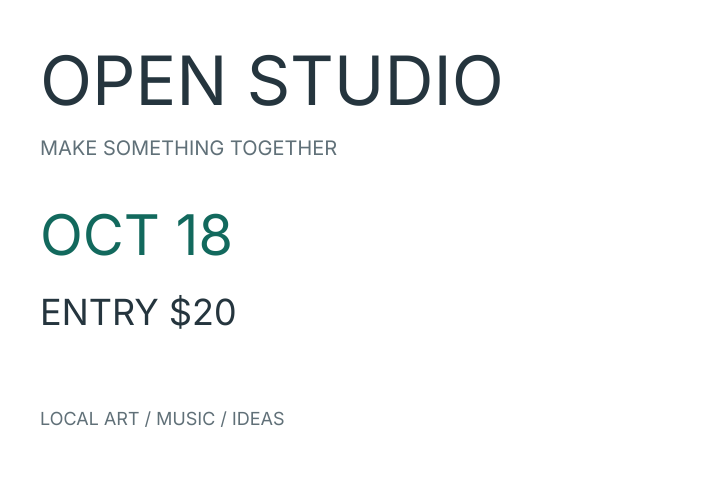
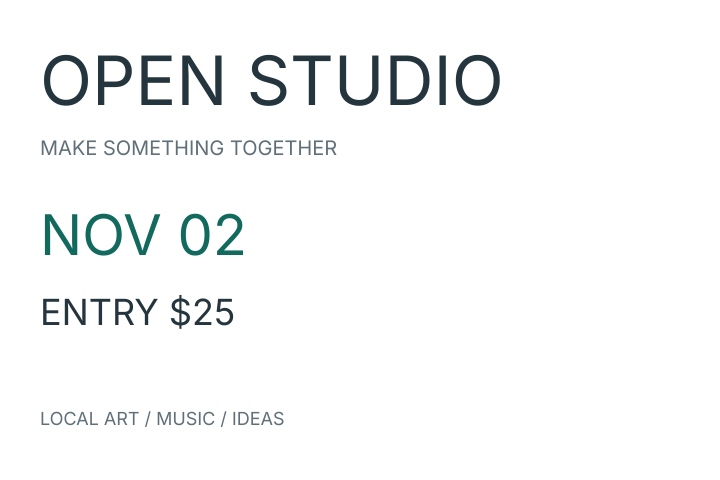
FROM YOUR FILE TO A FINISHED IMAGE
Open your file or try the poster example. Your file is processed on your device.
Choose a supported text layer. Update a date, price or title, then check the preview.
Download your result at the original canvas size, without a watermark. Keep your source PSD.
A CLOSER LOOK AT THE EDITORS
Compare features, pricing, and our hands-on PSD test results.
Read the comparisonLayers, typography, color and automation across the complete editors.
Pricing, platforms and the ways you can use and run each editor.
21 real PSD files tested in PSDFlow, with output examples and compatibility limits.
START WITH YOUR FILE
Conversion, examples and editing previews are free. Text Pass purchases are not open yet. Account editing delivery is in validation. View your account and pass status.
AVAILABLE NOW
$0free
Convert your PSD. Try text editing.
PURCHASES NOT OPEN YET
$4.90/ 30 days
One-time payment. No auto-renewal.
Free includes one editing task with your own PSD per account, usable for 24 hours after its first successful PNG delivery. Sign in when downloading your edited PNG. Both plans use the same file and font limits. See the full rules.
BEFORE YOU OPEN YOUR FILE
No. Open a supported PSD in your browser to convert it or change editable text. Your PSD and fonts are processed locally. See how local processing works.
Only supported editable text layers can be changed. You may need to load the original font. Text reflow and effects can differ, so check the preview. See supported files and text or why a layer cannot be edited.
A PNG at the original canvas size, without a watermark. Your source PSD stays unchanged. Saving an edited PSD is outside the current scope. Open the PNG converter.
YOUR NEXT SMALL UPDATE
Open the PSD you already have. Get a PNG you can use.